I design production tools for enterprise data operations. The work ships into live systems and is measured on throughput, adoption and error rates, not on deliverables. At GfK that meant scoring the workflows of 150 stakeholders by throughput impact and rebuilding the enrichment tooling around the spreadsheets analysts were already running on.
Role
Lead product designer, 2023
↓35–40%coordination time in beta
↑20%first pass success in beta
The problem
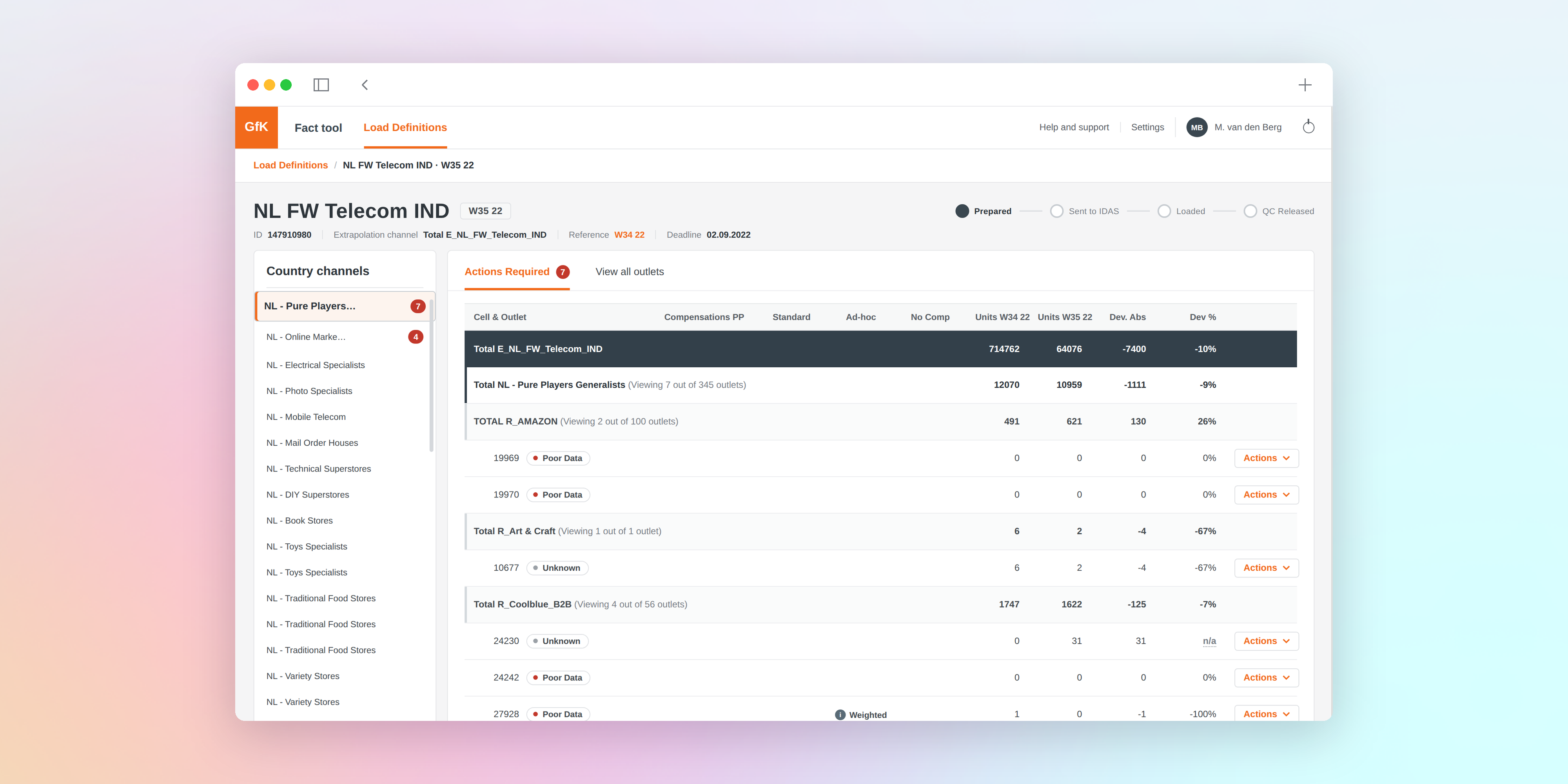
GfK's market intelligence runs on a four stage data chain, data in, coding, enrichment and data out, delivered by teams across seven regions. This engagement went deep on the enrichment stage and its core module, the Fact Tool, part of GfK's StarTrack production platform. The tool compares the retailer deliveries production expects with what actually arrived, then compensates the gaps before the data is extrapolated to the market. The console doing that work was an ageing desktop application, so analysts across the 34 countries it served had drifted into spreadsheets to keep client reporting on schedule, and the errors were now reaching client reports.
The ageing desktop console analysts were escaping, six screens from the load monitor to the grid sprawl. Drag to pan. Use the toolbar or scroll to zoom. Use the X button to close.
Constraints
The redesign had to meet four conditions. It had to hold across 150 contributors and seven regions at once, so a fix for one team could not quietly break another's. It had to ship into a live production system with no offline window, in an operation GfK reports as running over 1,100 product group and country combinations every week. It had to absorb the spreadsheet workarounds rather than design them out, or analysts would route around the new tool as they had the old. And it had to stay inside a hard scope ceiling. "Remove unused features and nail two user journeys, so teams can work faster without spreadsheets."
Map who before what
Before mapping a single workflow, I mapped the people. The People Matrix sorted 150 stakeholders into four rings, with Value Chain Leads at the centre, then SMEs, a task force spanning domains, and Specialists, each tagged by role, influence and region across the US, EMEA, APAC, LATAM, India, Poland and the Philippines. At GfK's scale, generic research hands you one region's workflow dressed up as the whole company's, and a few tidy personas would have buried exactly the regional differences that drove the hardest calls later. The Matrix forced every subsequent decision to name the roles and regions it touched, and every later artefact traced back to a Matrix coordinate.
Let throughput pick the scope
Mixed methods diagnostics, user interviews and workflow observation alongside usage and operations data, surfaced four blockers. Dense information, no guided workflow, unclear error signals and low content visibility. The brief ruled out fixing all four, so instead of chasing the loudest complaint I scored every candidate workflow on a Task Throughput Impact score from 0 to 100, weighing the speed and completed volume each fix would add, checked against operations data. Prioritising by what came up most in the qualitative research would have shipped error signalling first, the most talked about problem rather than the highest leverage one. The two workflows that topped the list became the entire MVP. Load Definition Management, where compensations are saved as a load definition and executed when the data loads. And Standard Compensation Management, the recurring compensation rules reviewed each period. The scope now had a number it could be defended upward on.
Absorb the workarounds, don't replace them
Global Ops had built two offline patterns to survive the legacy tool. Factor only leaves the missing outlet's data empty and reweights the remaining outlets through their extrapolation factors. Replace from another outlet copies in a similar outlet's data as a donor. Both are recognised panel statistics methods, but both lived in spreadsheets, both were unofficial, and both were what kept client reporting on schedule. Designing a clean compensation flow and letting them fade would have killed adoption in the regions where they were most entrenched, so I built both patterns into the redesigned compensation model as native options. Aligning the model with how analysts actually worked cut errors at the source, and rework dropped 10% in beta.
The two journeys that shipped as two bands, find and triage then decide and dispatch, with the offline compensation patterns built in as native options. Drag to pan. Use the toolbar or scroll to zoom. Use the X button to close.
Payoff
Both journeys passed UAT at a 100% success rate, with 7 of 10 participants rating ease of use between 7 and 10, and the beta numbers followed.
Coordination. Time spent coordinating work around the tool fell 35 to 40% in beta.
Accuracy. First pass success rose 20% in beta.
Rework. Rework dropped 10% once the offline patterns became native options.
Validation. All three outcomes were validated against operations data ahead of a phased regional rollout.
"The design is innovative and has real potential to improve the experience for users."





.svg)